Windows app · C# / WPF
Source2All Sensitivity Converter
Set your sensitivity once and apply it everywhere — 58 games, auto-detected across Steam, Epic and GOG, written straight into their configs.
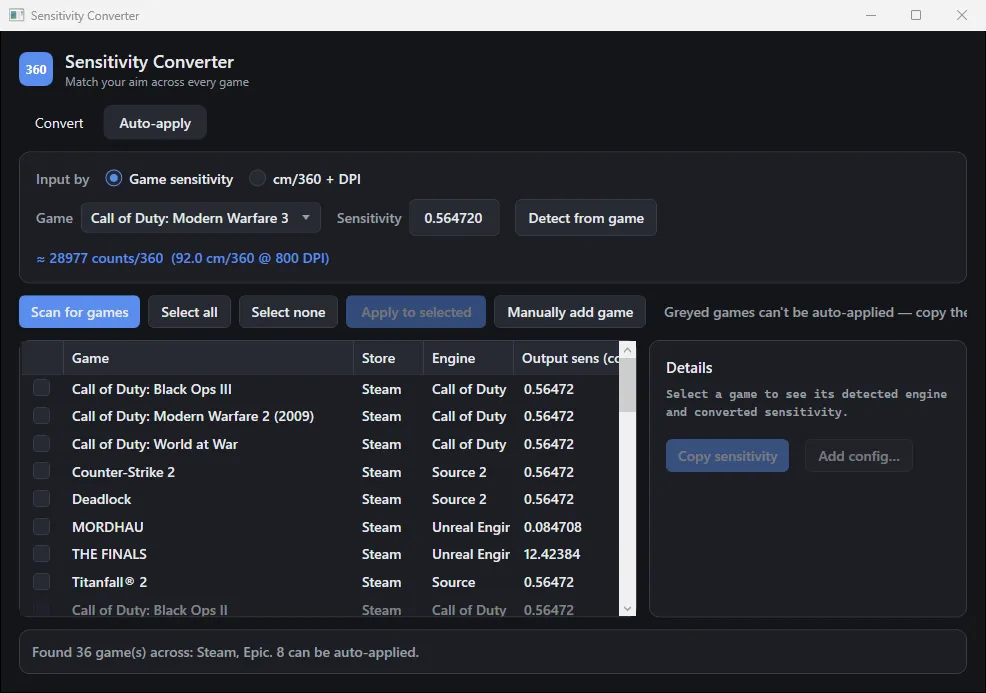
There are loads of sensitivity calculators online, but most take ages to dial in, and many won’t save your values unless you pay for a subscription. Then you still have to open every game and type the number in yourself.
Source2All does the whole job. Give it your sensitivity from a Source game (or a cm/360 and DPI), and it works out the equivalent for every supported game and writes it into their config files for you.
How it works
Everything is converted with the 360-distance method. Your input is reduced to how many mouse counts it takes to turn 360°, then rebuilt for each game from that game’s yaw — the degrees turned per count at sensitivity 1. Source games use 0.022, VALORANT 0.07, Overwatch 2 0.0066, and so on.
To find games, the app reads Steam’s library folders and app manifests (with its own VDF/KeyValues parser), Epic’s manifests, GOG’s registry entries and Minecraft’s folder. For installs it doesn’t know, it guesses the engine from tell-tale files like engine2.dll, gameinfo.txt, *-Win64-Shipping.exe or UnityPlayer.dll.
Then it writes the value in the format each game expects — autoexec.cfg and cvars for Source and GoldSrc, INI and axis configs for Unreal, every Call of Duty profile, Minecraft’s options.txt, Rainbow Six Siege’s multiplier, and even binary Unreal .sav files for games like The Finals. It makes a one-time backup before touching anything.
It replaces my older Simple Sensitivity Converter (2023), a WinForms tool that only converted cm/360 into 19 preset games.
Try it
Sensitivity calculator
A web version of the app's conversion, using the same yaw values for a few of its 58 games. The app also finds your installed games and writes the values into their configs.
02 Gallery